Edge Lighting Colors1.0.6
Publisher Description


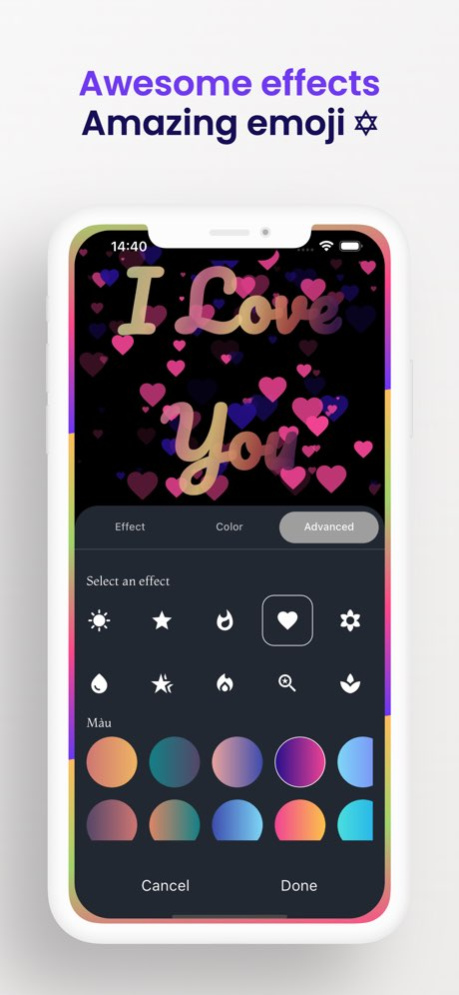

Edge Lighting Colors: RGB LED Strip Light App
Bring your screen to life with Edge Lighting, the ultimate light app for customizing stunning RGB LED effects right on your device. Whether you're into bold borders, vibrant colors, or glowing effects, this app transforms your phone with sleek, immersive lighting.
Sync your style with:
Dynamic RGB and RGB LED strip light animations
Customizable border lighting for notifications, calls, and charging
Smooth transitions and pulsing effects that match your vibe
Solar-inspired glows with Solar Edge themes
Perfect for LED enthusiasts and anyone who loves creative lighting, Edge Lighting is your portable glow-up. Light up your screen-your way.
– Added premium features
– Updated toast messages for a smoother experience
– Introduced new border styles
About Edge Lighting Colors
The company that develops Edge Lighting Colors is Pham Thuyen. The latest version released by its developer is 1.0.6.
To install Edge Lighting Colors on your iOS device, just click the green Continue To App button above to start the installation process. The app is listed on our website since 2025-04-28 and was downloaded 0 times. We have already checked if the download link is safe, however for your own protection we recommend that you scan the downloaded app with your antivirus. Your antivirus may detect the Edge Lighting Colors as malware if the download link is broken.
How to install Edge Lighting Colors on your iOS device:
- Click on the Continue To App button on our website. This will redirect you to the App Store.
- Once the Edge Lighting Colors is shown in the iTunes listing of your iOS device, you can start its download and installation. Tap on the GET button to the right of the app to start downloading it.
- If you are not logged-in the iOS appstore app, you'll be prompted for your your Apple ID and/or password.
- After Edge Lighting Colors is downloaded, you'll see an INSTALL button to the right. Tap on it to start the actual installation of the iOS app.
- Once installation is finished you can tap on the OPEN button to start it. Its icon will also be added to your device home screen.
Program Details
System requirements
Download information
Pricing
Version History
version 1.0.6
posted on 2025-04-28
– Added premium features
– Updated toast messages for a smoother experience
– Introduced new border styles
